
How to Redeem Build A Car Empire Codes
Learn the Codes window now so a live drop does not expire while you hunt the button.
Redeeming a code in Build A Car Empire is a thirty-second job once you know the HUD. The game is a crate incremental, so the Codes control sits with the other economy buttons rather than inside Roblox settings. This page walks the click path, the error messages you will actually see, and the order of operations after a success so a luck boost is not wasted on an empty wallet.
Before you open the Codes window
Load into a server (max 8 players) and wait until the lot HUD is up. Codes will not apply from the Roblox website, the group page, or a Discord bot. They apply to the account that is currently in the experience.
Do this first:
- Finish the tutorial prompts so the shop and crate buttons are unlocked.
- Have at least one crate’s worth of cash if you expect a luck reward. See how to get money.
- Copy the string from a trusted source — this wiki’s codes hub or a Trifall Studios shout — instead of typing from memory.
Step-by-step redeem
- Stand on your lot so you are not inside a crate animation.
- Open the Codes button on the main HUD. On most Trifall-style incrementals it sits on the right or in the shop cluster, near cash and luck readouts.
- Paste the full string into the text field. Do not add spaces before or after.
- Press Redeem. Wait for the toast. Do not mash the button.
- Check cash, luck, or inventory. If nothing moved, read the error instead of assuming the code is valid.
If you cannot find Codes, open the shop and the settings gear once each. Some patches hide the button behind a gift icon. It is not inside Roblox’s generic Settings menu, and it is not the Robux purchase prompt.
Case, spaces, and one-use rules
Treat every code as case-sensitive. Update and UPDATE are different strings. Do not translate it. Do not add a hashtag. Do not wrap it in quotes.
Each working code is typically one redeem per account, not per server. Rejoining will not grant a second payout. VIP servers are not required; the live 8-player servers are enough.
If the window says the code is invalid, stop. Trying twenty variants of the same leaked string will not help, and it trains you to trust fake lists.
Failed redeem checklist
| Message / symptom | What to do |
|---|---|
| Invalid / unknown | The string is for another game or a typo. Recheck codes. |
| Already redeemed | This account already ate it. Alts are a ToS risk; do not farm that way. |
| Expired | The drop window closed. Wait for the next update. |
| Button missing | You are still in the loading tutorial, or a UI scale issue on mobile. Reset the experience. |
| Nothing happens | Wait for the crate animation to finish, then redeem again once. |
Mobile players should paste from the clipboard instead of the on-screen keyboard. Console players can type in the Roblox overlay text box if the in-game field focuses.
What to do the second a code works
A cash code should go into crates you already planned using crate luck. Do not impulse-buy a gamepass because a toast made the number jump.
A luck code should be followed by a short, funded roll session:
- Sell Commons you were going to sell anyway (keep or sell).
- Roll while the timer is live. AFK earnings do not consume luck, but they also do not benefit from it.
- Park anything that beats your current income, sell the rest.
- When the boost ends, stop rolling if your cash cannot cover another crate.
Codes versus Auto Roll
Auto Roll is a paid pass that repeats crates while you watch. A code is a one-shot. If you redeem a luck code with Auto Roll enabled, you can burn the entire timer on Commons before you notice. Pause Auto Roll, redeem, then turn it back on only if you have cash and you understand rarity odds.
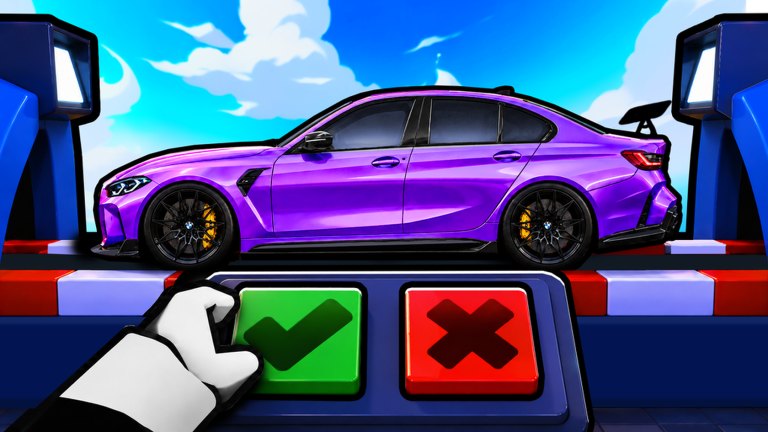
Auto Sell can also fight you: if you meant to inspect an Epic Aventa and Auto Sell yeets it, the code did not fail — your pass did its job. Toggle Auto Sell off for the first boosted crate so you can use the green check / red X board with a clear head.
Aftercare
Write down the string and the reward in a note. If this wiki still shows an empty active table, tell us the exact toast text, not a screenshot from another tycoon. Then return to how to play and keep the lot earning. Codes are a spike. Parking the right cars is the loop.
Frequently Asked Questions
Quick answers for crate rolls, cash, and collection questions.
Where is the Codes button in Build A Car Empire?
On the in-game HUD, usually near shop and cash. It is not inside Roblox account settings. See the step list above.
Are codes case-sensitive?
Yes. Paste the string exactly as it appears on the codes hub or the group shout.
Can I redeem on the Roblox website?
No. You must be inside the experience on the account that should receive the reward.
The code says invalid. Now what?
It is expired, mistyped, or from another game. Do not brute-force variants. Recheck where to find codes.